

Two Kinds of Message
Every message you send from Pawgress is either a service message or a promotional message. You pick one in the Kind of message setting before sending.
Service is the default.
Why this mattersAnti-spam laws — Canada’s CASL, and similar rules in the US, UK, EU, and elsewhere — only allow commercial email to people who’ve agreed to it or have a qualifying relationship with you. Pawgress applies conservative rules so your promotional messages only reach clients you can show you’re allowed to email. This guide isn’t legal advice; check with a professional if you’re unsure about your situation.
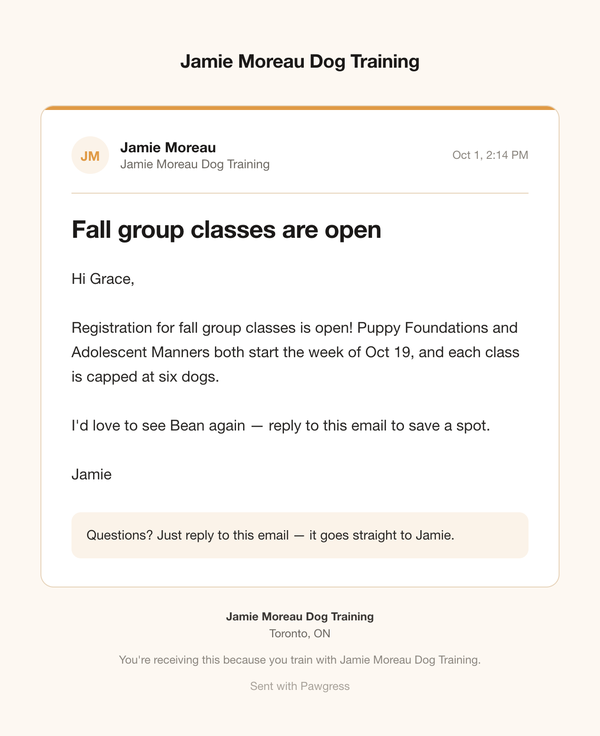
A promotional message — announcing new classes to a past client
The Promotional-Content Check
When you choose Service message, Pawgress scans your subject, message, links, and attachment names for things that often signal a promotion — prices, discounts (20% off, early bird), calls to buy (sign up now, book your spot), new offerings, or a link to a booking page or your website. If something matches, you’ll see which words triggered it and must either:- switch to Promotional message, or
- tick This message has no promotional content to confirm it’s a genuine service message
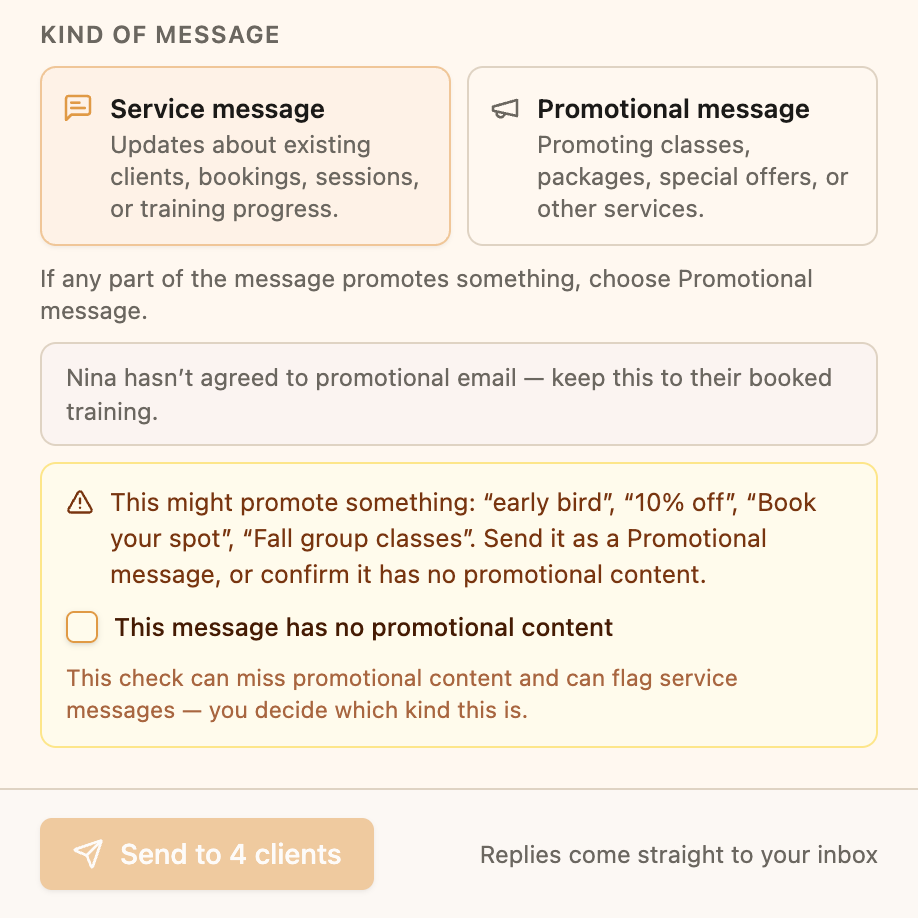
Pawgress flags wording that looks promotional in a service message
Who Can Receive Promotional Messages
A client can receive promotions when they haven’t unsubscribed, and at least one of these is true:
These don’t count on their own: attending sessions, an unpaid enrollment, an invite, or simply being in your client list.
What happens when you send
When you pick Promotional message, clients who can’t receive it are marked Unsubscribed or No consent in the To list, and the panel tells you how many won’t get it — for example “2 clients won’t receive this — no consent for promotional email on record.” The send button shows the real count, like Send to 4 of 6. Everyone else gets the message as normal.Recording Consent on a Client
Each client’s page has a Promotional email card on the Overview tab. It shows whether they Can receive promotions, on what basis, and until when, plus a full History of consent changes.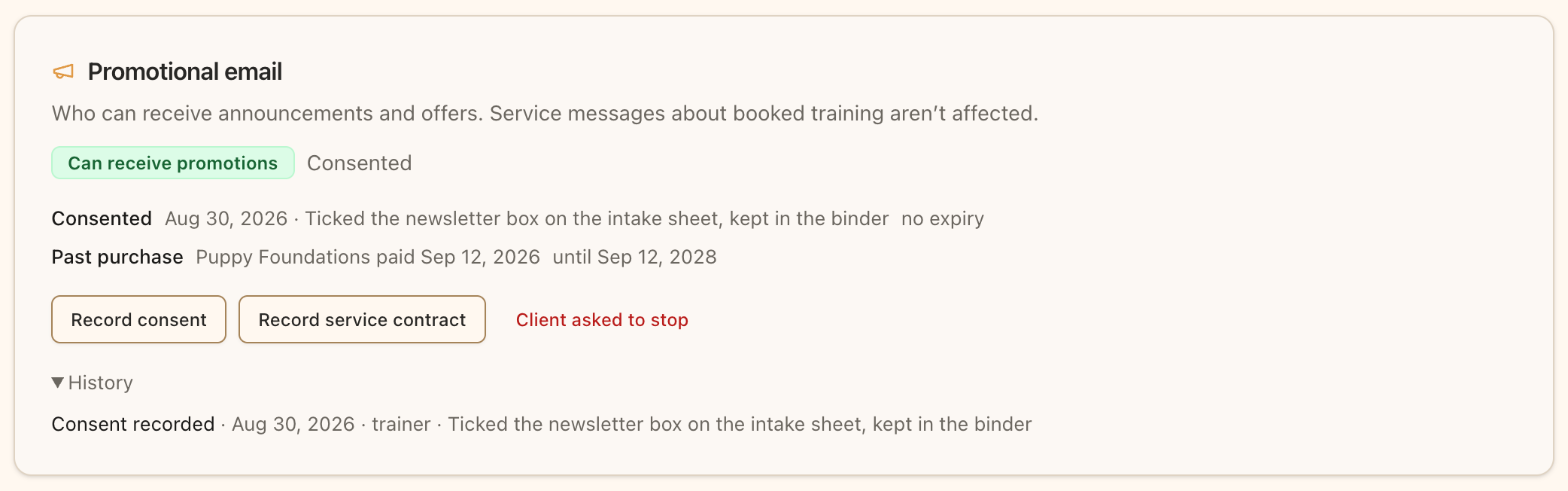
The Promotional email card shows whether a client can receive promotions, and why
Record consent
If a client told you they’d like your news and offers — in person, on a paper intake form, or by replying to an email:- Open the client and find the Promotional email card
- Click Record consent
- Choose How they gave it (In person, Paper form, Replied by email, Other), the Date, and describe the Evidence, e.g. “Ticked the newsletter box on the intake sheet, kept in the binder”
Record a service contract
If the client signed a written training agreement:- Click Record service contract
- Enter the Start date, and an End date or tick Ongoing
- Optionally link the Signed form from their completed client forms, and add a description
Past purchases are automatic
You don’t need to record purchases. When a client pays for a package — online or with Mark as Paid — Pawgress picks it up automatically and shows it as the basis, e.g. “Puppy Foundations paid Sep 12, 2026.”Unsubscribing
How clients unsubscribe
Every message you send includes an unsubscribe link in the footer. Clicking it stops promotional messages from you. Your client still receives service messages about sessions they’ve booked, such as schedule changes — the link says so. Unsubscribing applies only to you. It doesn’t affect other trainers or Pawgress’s own emails.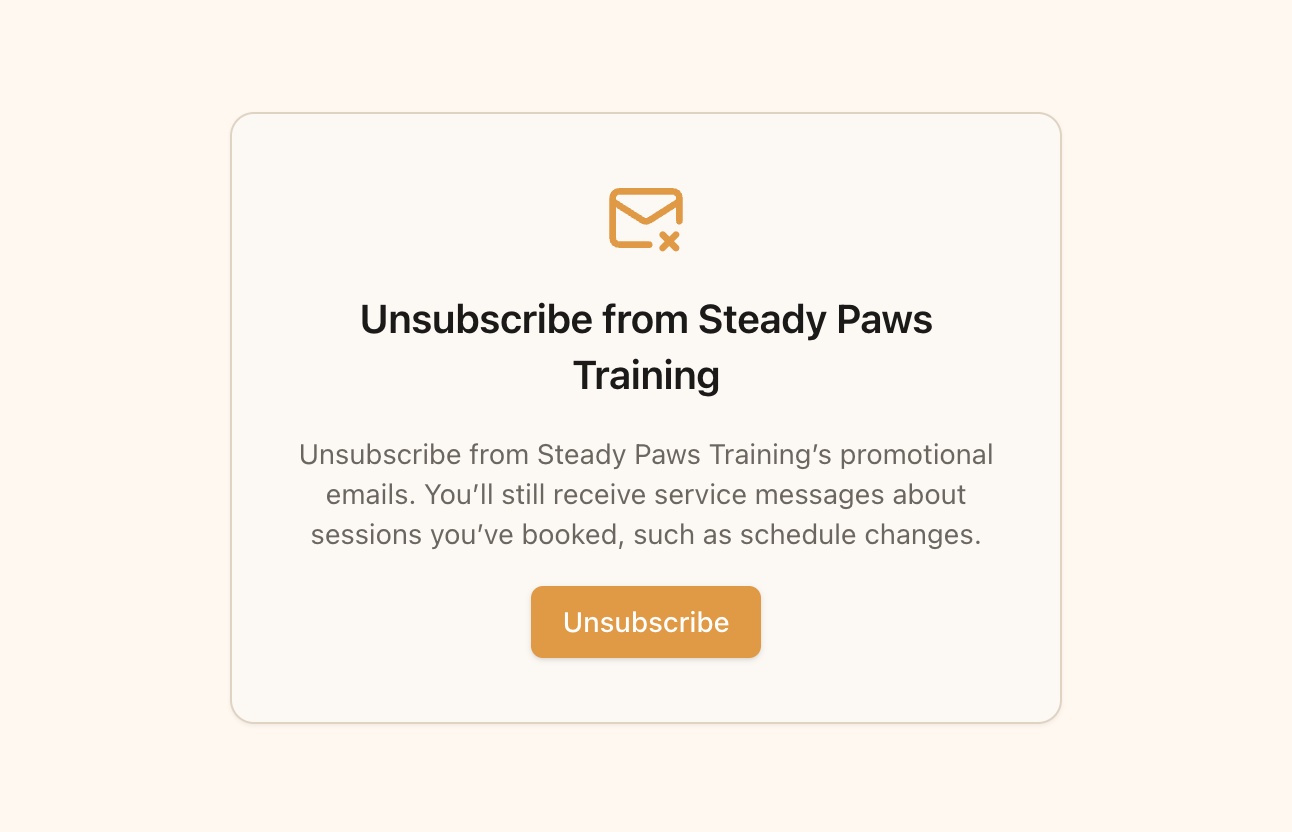
The page your client sees after clicking unsubscribe
If a client asks you directly
If a client tells you they don’t want promotions anymore, open their Promotional email card and click Client asked to stop, then Unsubscribe them.Only the client can opt back in. Once someone has unsubscribed, you can’t record new consent for them. They can opt back in themselves from their own account settings.