

Understanding Your Subscription Options
Pawgress offers a Pro Plan subscription that unlocks advanced features for managing your training business. First-time subscribers can start with a 30-day free trial to explore every Pro feature.Pro Plan Pricing
Annual billing gives you 4 months free compared to monthly.All Pro plans include:
- 30-day free trial for first-time subscribers
- Session scheduling with conflict detection
- Package management and public booking links
- Stripe payment collection for enrollments
- Google Calendar, Google Meet, and Zoom integrations
- 50 GB media storage
- Priority support
Pawgress guesses your billing currency from your browser timezone and lets you switch it manually on the pricing page. This is separate from the currency you charge your own clients in, which you set under Booking & billing on your profile.
Starting Your 30-Day Free Trial
All new Pawgress accounts start on the free Basic plan. To unlock Pro features, start your free trial:Step 1: Open subscription settings
Click your avatar in the top-right corner and select Account, then open the Subscription page.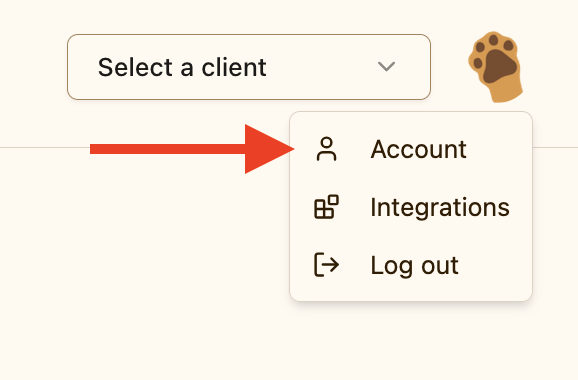
Step 2: Review subscription options
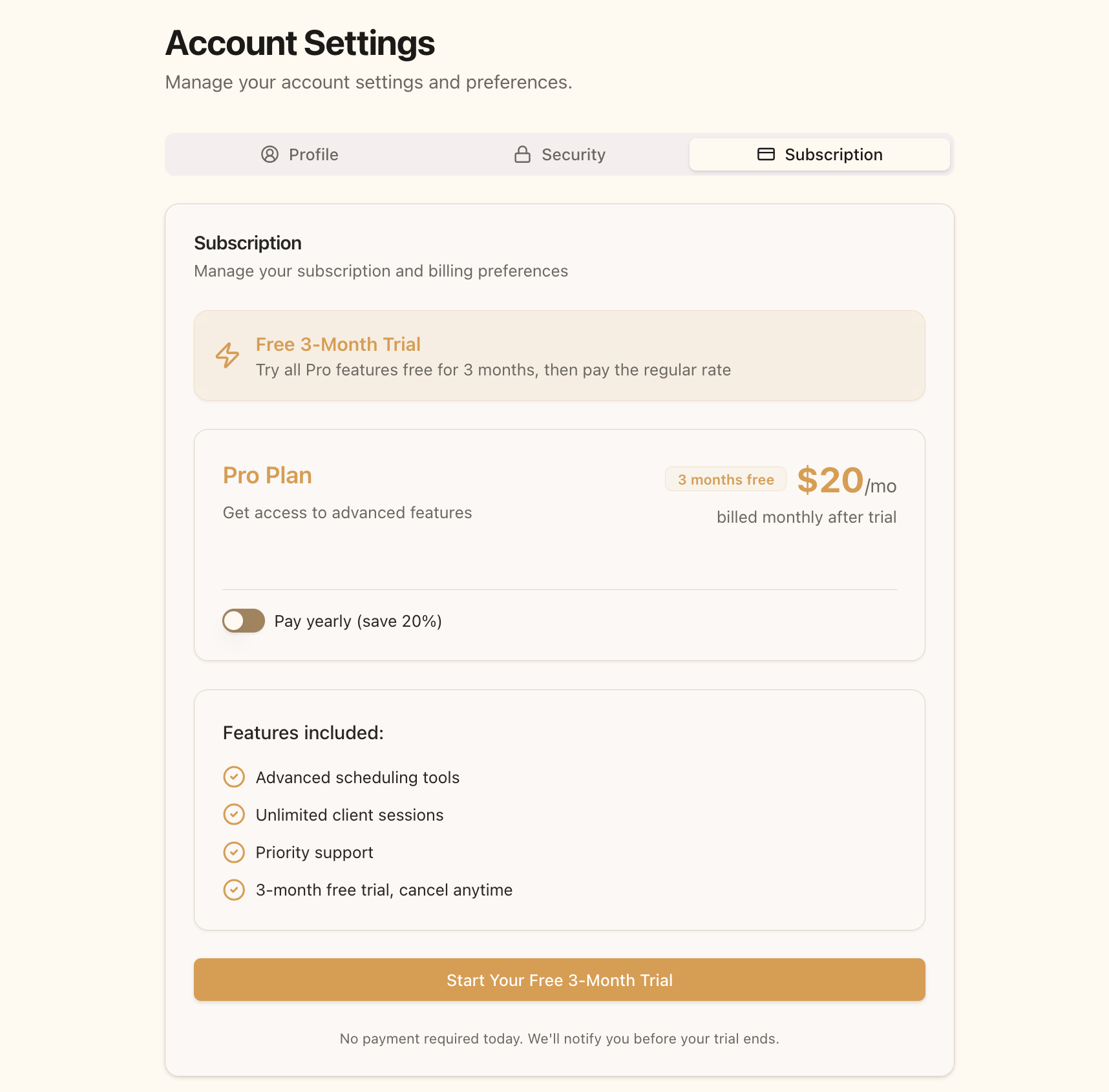
The Subscription page shows:- The 30-day free trial banner (first-time subscribers only)
- Monthly and annual pricing in your currency
- The features included in the Pro Plan
Step 3: Choose billing frequency
Decide whether you prefer monthly or annual billing once your trial ends:- Toggle Pay yearly (4 months free) ON for annual billing
- Leave it OFF for monthly billing
Step 4: Start your trial
Click Start Your Free 30-Day Trial. You’ll be redirected to Stripe’s secure checkout page.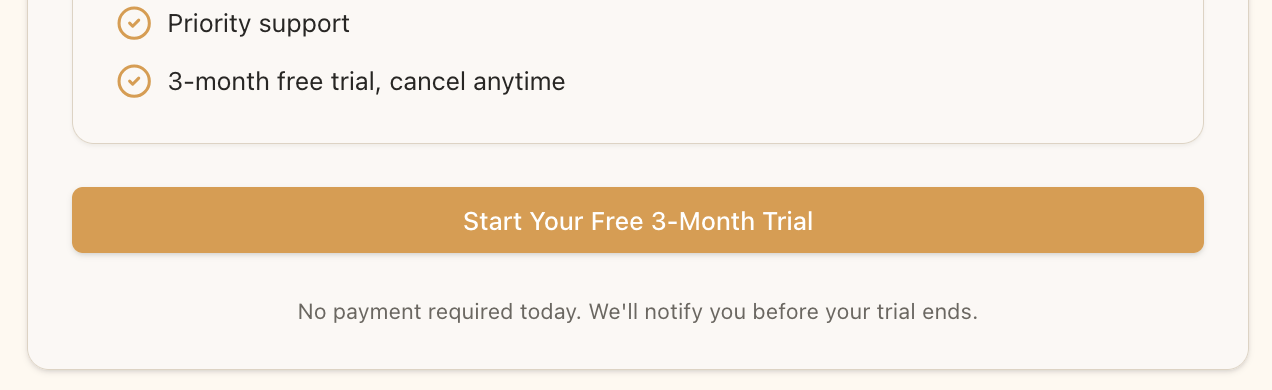
Step 5: Complete payment information
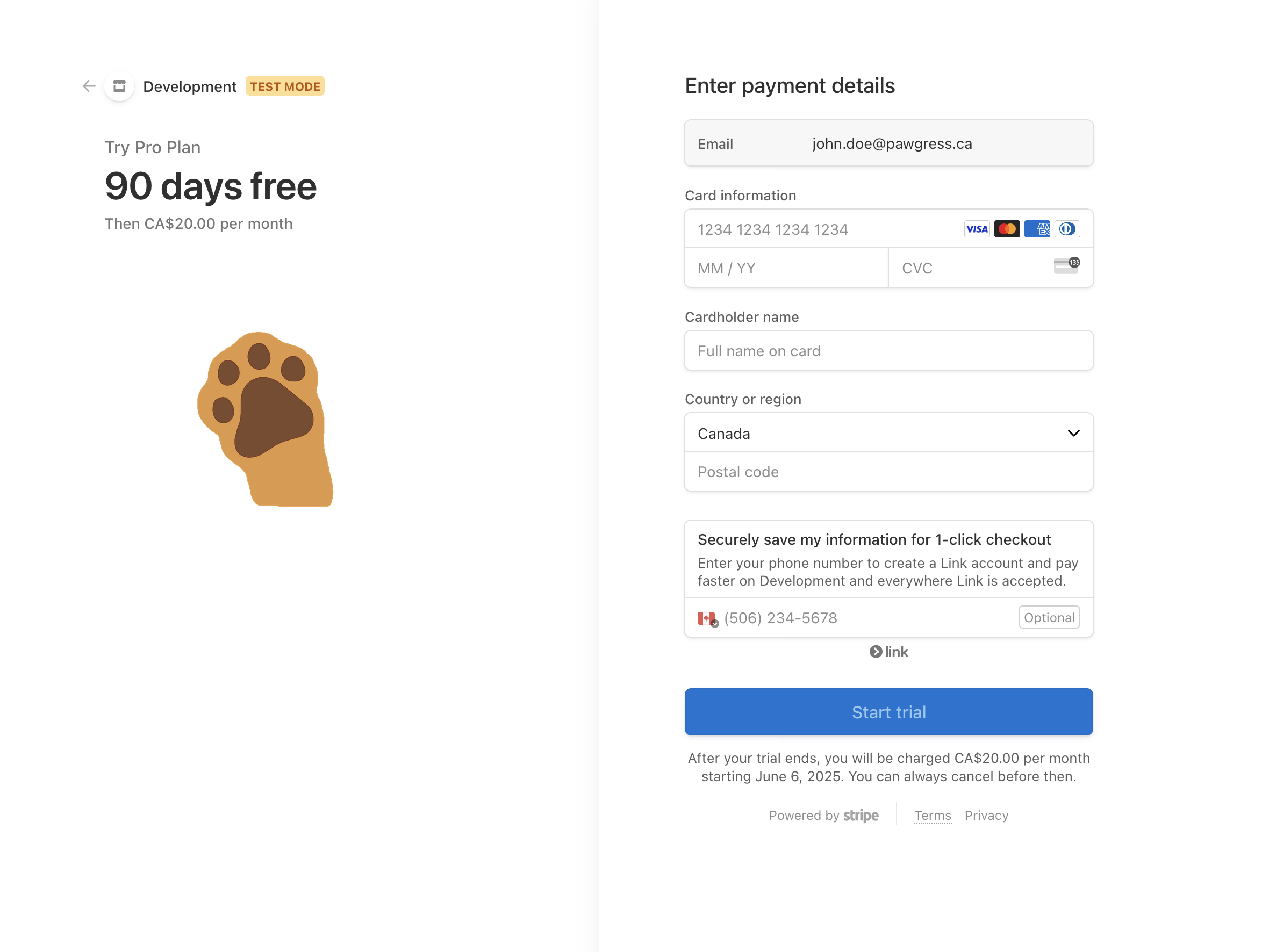
On the Stripe checkout page:- Enter your email address (should match your Pawgress account)
- Enter your payment card details
- Enter your billing address
- Click Subscribe to confirm
Step 6: Confirmation
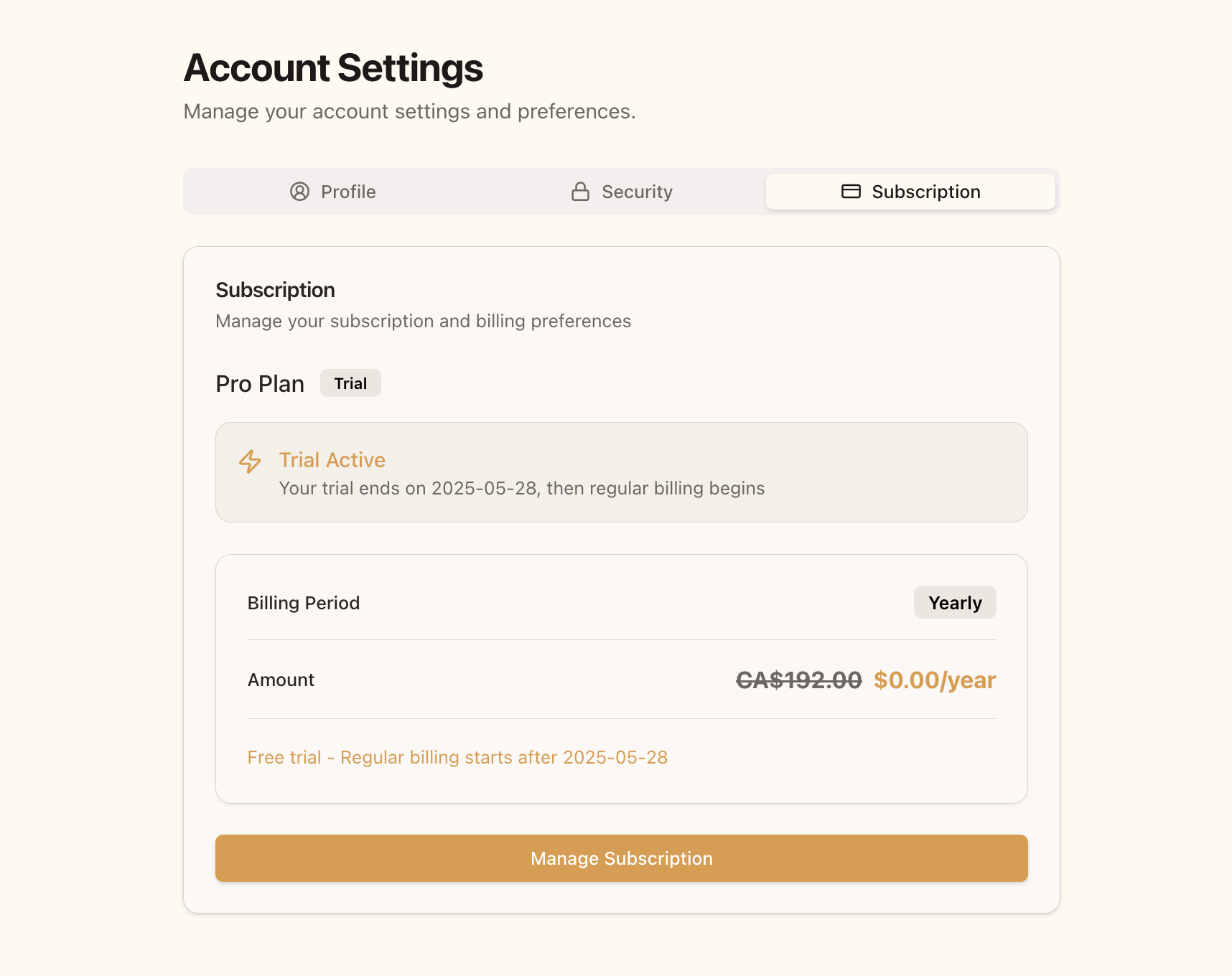
After checkout you’re redirected back to Pawgress with your Pro trial active. Your subscription page now shows:- A Trial badge and Trial Active status
- The date your trial ends and regular billing begins
- Your billing interval — Monthly or Yearly
Managing Your Subscription
Updating Payment Method
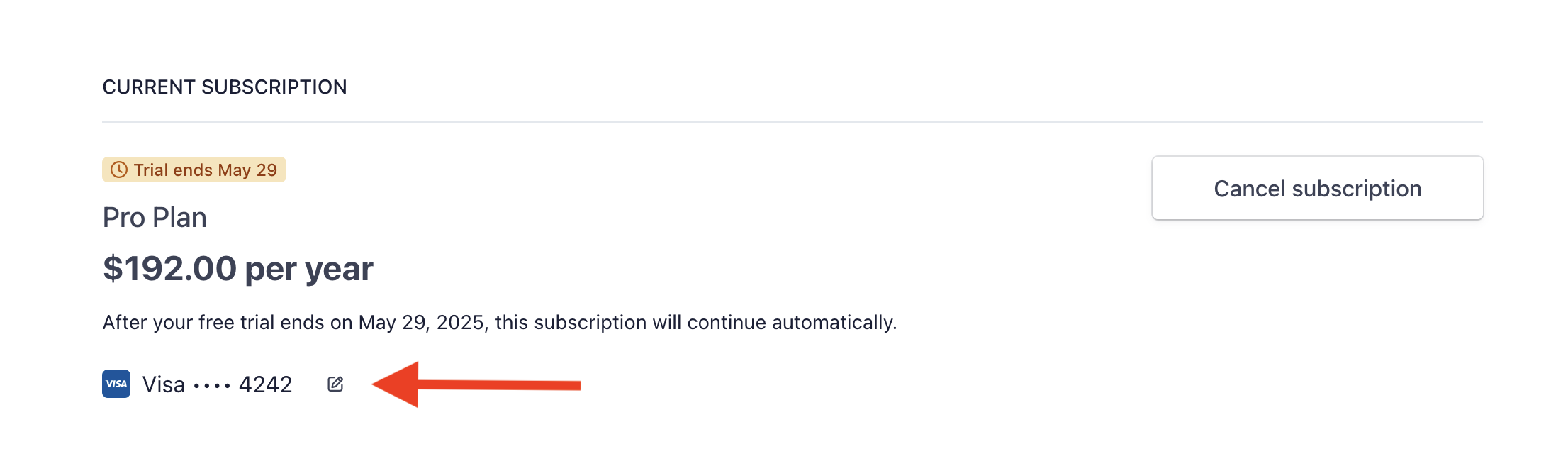
To update your payment card or billing information:- Go to your Subscription page
- Click Manage Subscription
- In the Stripe Customer Portal, click Update payment method
- Enter your new card details
- Confirm the change
Switching Between Monthly and Annual
Billing frequency is changed through the same Stripe Customer Portal:- Click Manage Subscription on your Subscription page
- Choose to update your plan
- Select the monthly or yearly price
- Confirm — Stripe prorates the difference automatically
Cancelling Your Subscription
Before You CancelWhen you cancel your subscription:
- You keep access to all Pro features until the end of your current billing period
- No refunds are issued for partial billing periods
- You can reactivate at any time before your access expires
- If you’re still in your trial, cancellation is immediate with no future charges
How to Cancel Your Subscription
- Click your avatar and select Account
- Open the Subscription page
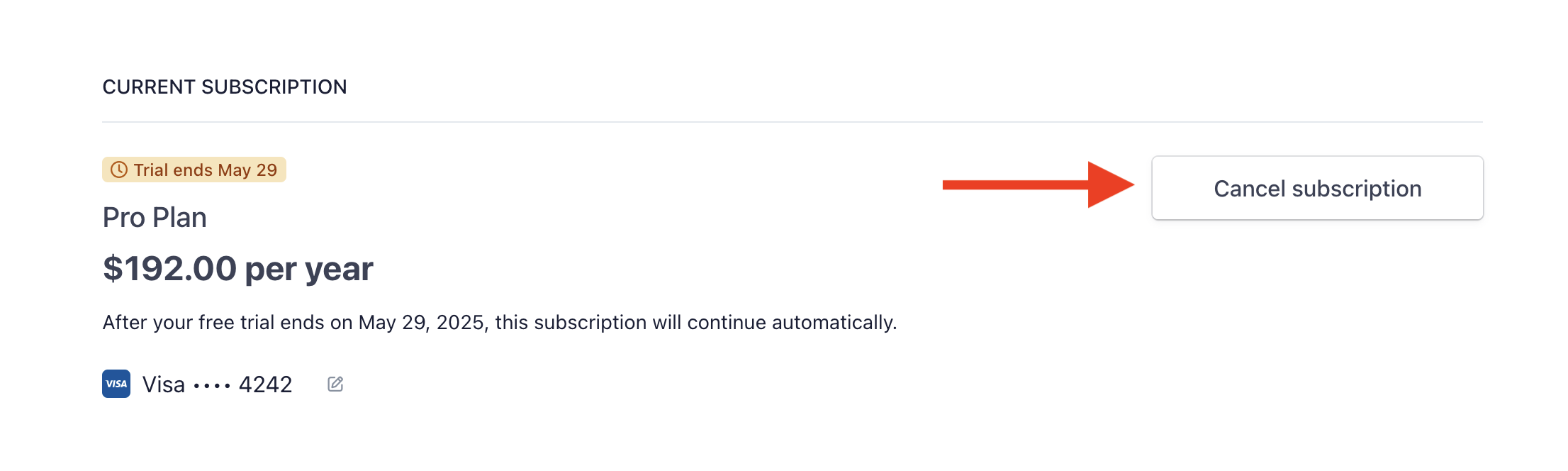
- Click Manage Subscription to open the Stripe Customer Portal
- Click Cancel next to your subscription
- Select your reason for cancelling (optional)
- Confirm cancellation
Confirming Cancellation
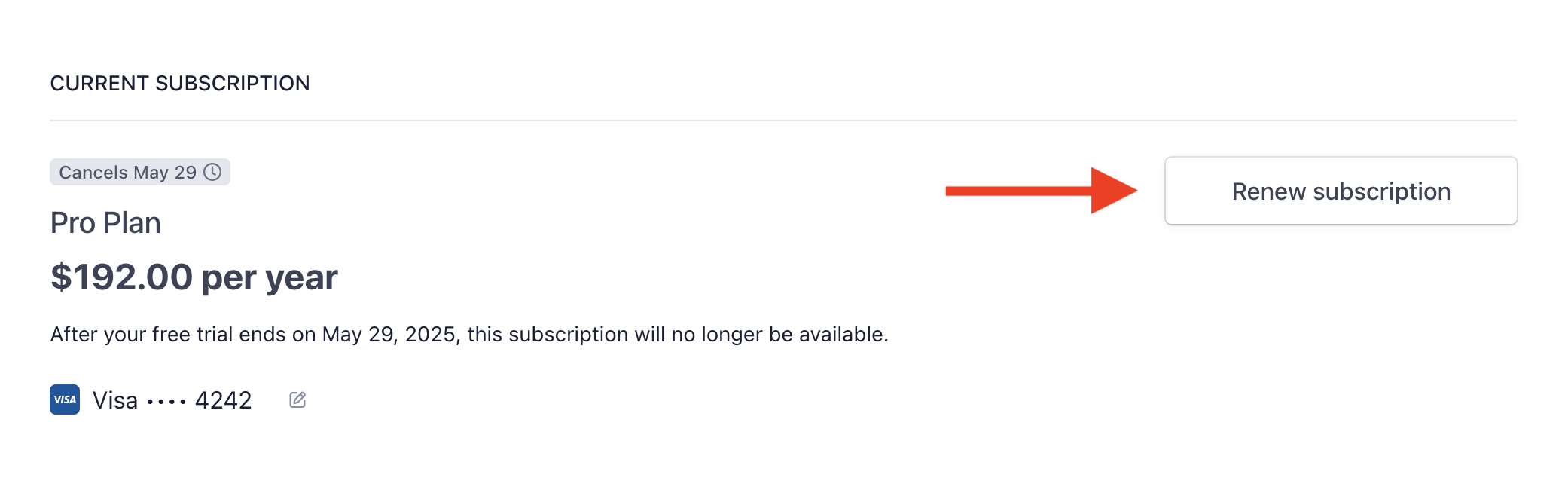
After cancelling, your Pawgress subscription page shows a Cancellation Scheduled notice along with the date your Pro access ends. You can keep using every Pro feature until then.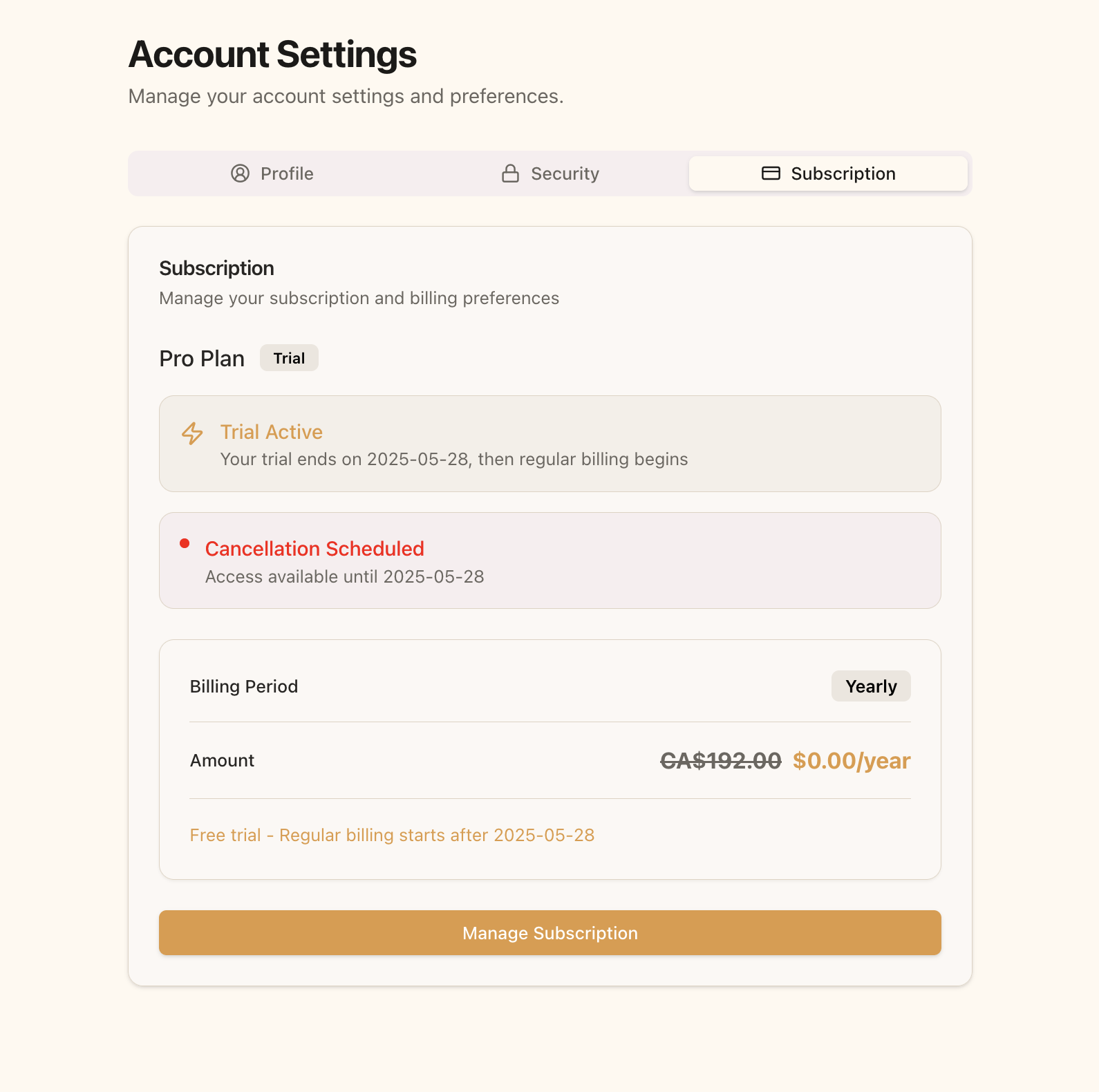
Reactivating Your Subscription
If you change your mind before your subscription fully expires:- Go to your Subscription page
- Click Manage Subscription
- In the Stripe portal, click Reactivate subscription
- Confirm the reactivation
Troubleshooting
Payment Failed
If your payment method fails at renewal time:- You’ll receive an email notification about the failed payment
- Stripe automatically retries over the following days
- You can update your payment method at any time via Manage Subscription
The trial banner isn’t showing
The 30-day trial is offered to first-time subscribers only. If you’ve previously subscribed to Pawgress, the subscription page shows standard pricing without a trial.Additional Help
For any subscription or billing issue not covered here, contact our support team:- Email: support@pawgress.ca
- In-app: Click Support in the account menu
Related Guides
- Upgrading to Pawgress Pro — full walkthrough of the upgrade flow
- Connect Your Stripe Account — collect payments from your clients
- Collecting Payment for Enrollments — payment links, refunds, and revenue tracking