

Overview
Pawgress Pro gives you access to powerful features designed to streamline your dog training business. With advanced scheduling tools, seamless integrations, and business analytics, Pro helps you save time and grow your business.What’s Included in Pawgress Pro
- Session scheduling - Book and manage sessions, with conflict detection and automatic reminders
- Package management - Create and sell training packages with multiple sessions
- Public booking links - Let clients book and pay for a package from a shareable link
- Stripe integration - Collect payments for enrollments directly from clients
- Google Calendar integration - Sync sessions automatically with your calendar
- Google Meet and Zoom integrations - Create virtual training sessions with one click
- Advanced dashboard - Monthly revenue, revenue trends, and upcoming sessions
- Report templates - Save any report as a reusable template for faster reporting
- 50 GB media storage - Up from 2 GB on Basic
- Bulk client import and export - Move your existing client list in and out via CSV
- Custom branding - Add your logo, brand colour, and business name to client-facing pages
- Priority support - Faster response times and dedicated support
Pricing
Pro is billed in USD or CAD. Pawgress guesses your currency from your browser timezone, and you can switch it manually on the pricing page.
Choosing annual billing gives you 4 months free compared to paying monthly.
The Basic plan is free forever, in either currency.
Your Pro subscription currency is separate from the currency you charge your clients in. That one is set per trainer under Booking & billing on your profile — see Connect Your Stripe Account.
How to Upgrade to Pro
Step 1: Open your account settings
From the dashboard, click your avatar in the top-right corner and select Account. This opens your trainer profile and settings.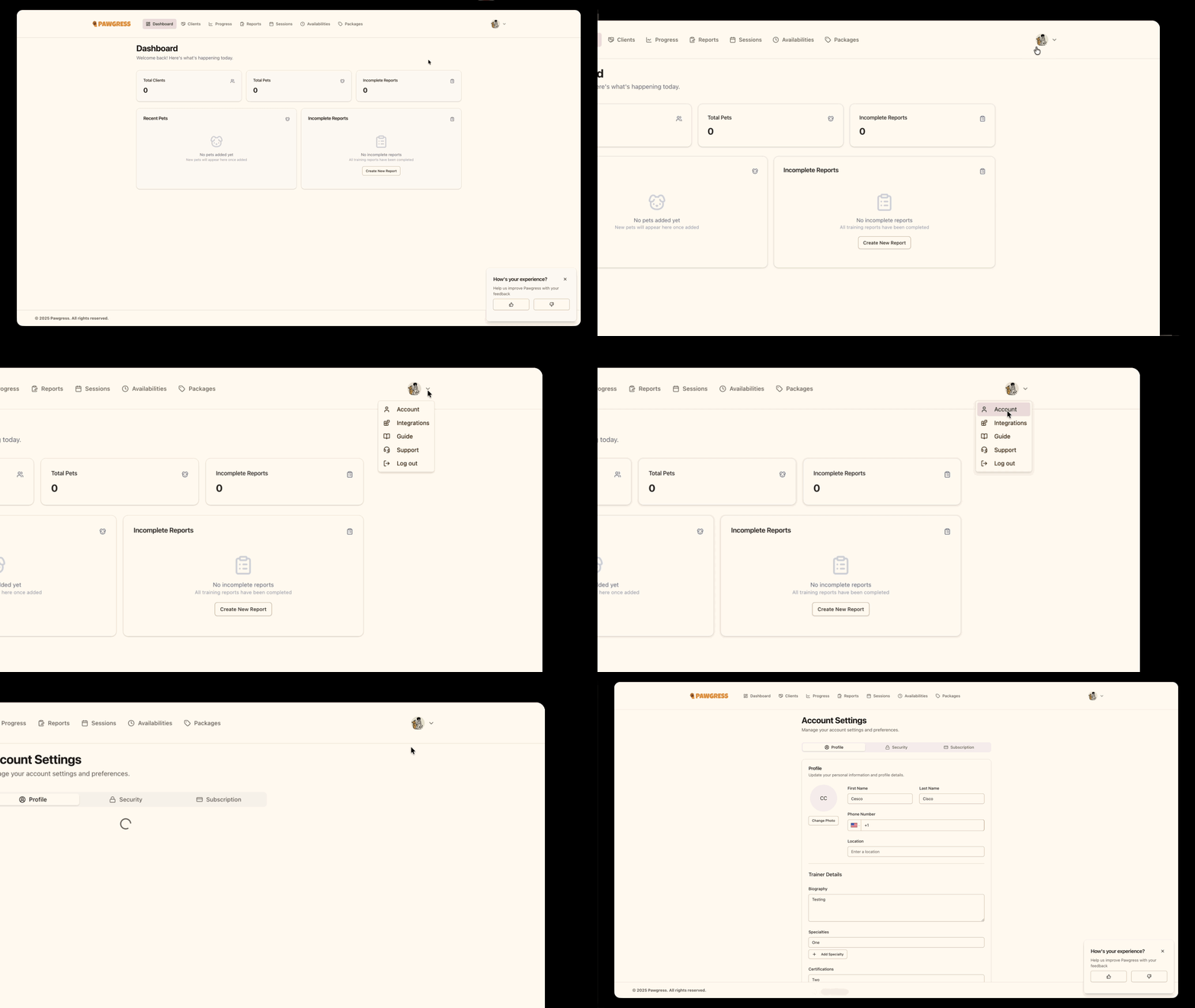
Step 2: Go to the subscription page
Open the Subscription page from your account settings to see your plan and Pro options.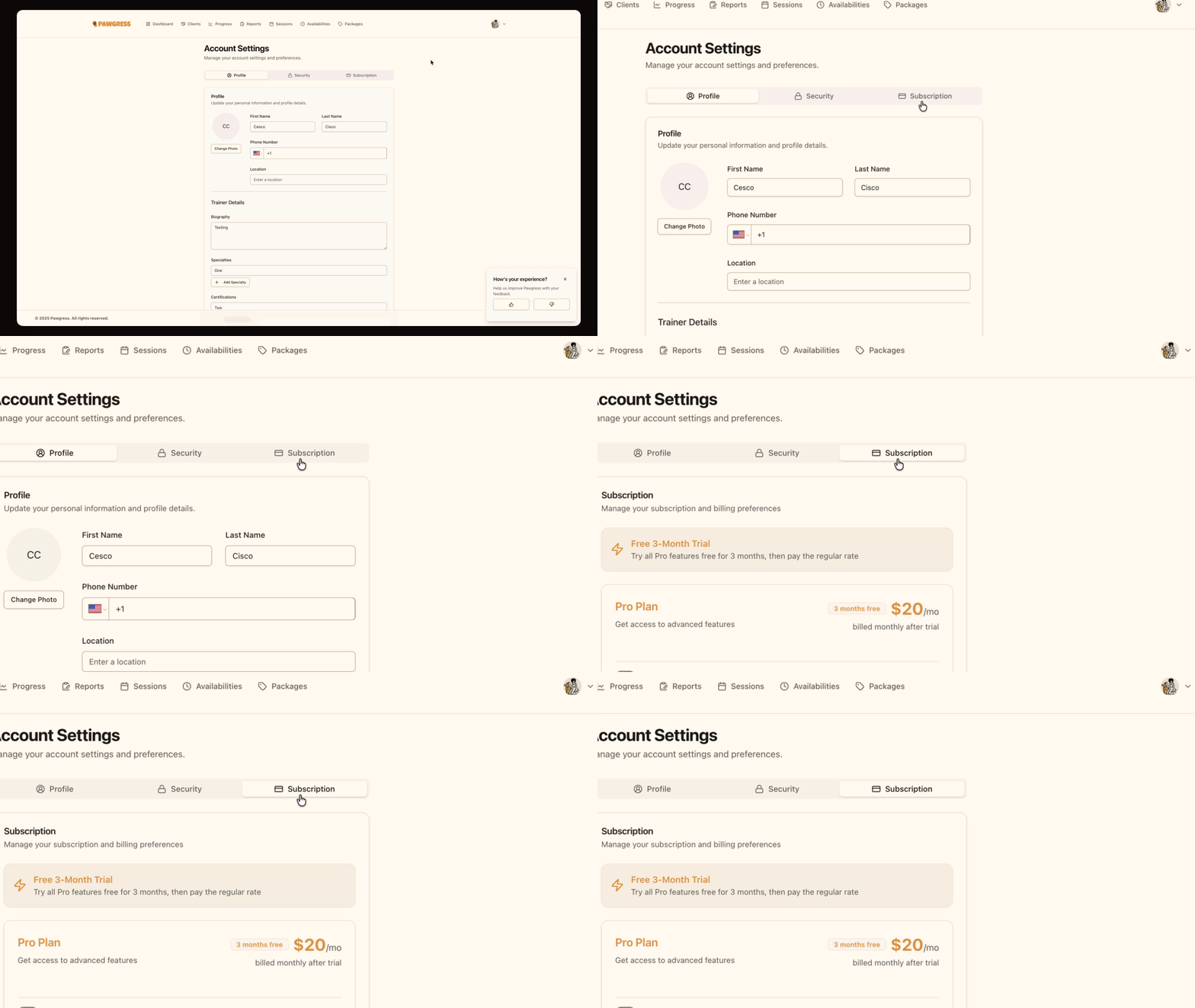
Step 3: Review Pro Plan benefits
The subscription page shows what’s included in Pawgress Pro along with the price in your currency, for both monthly and annual billing.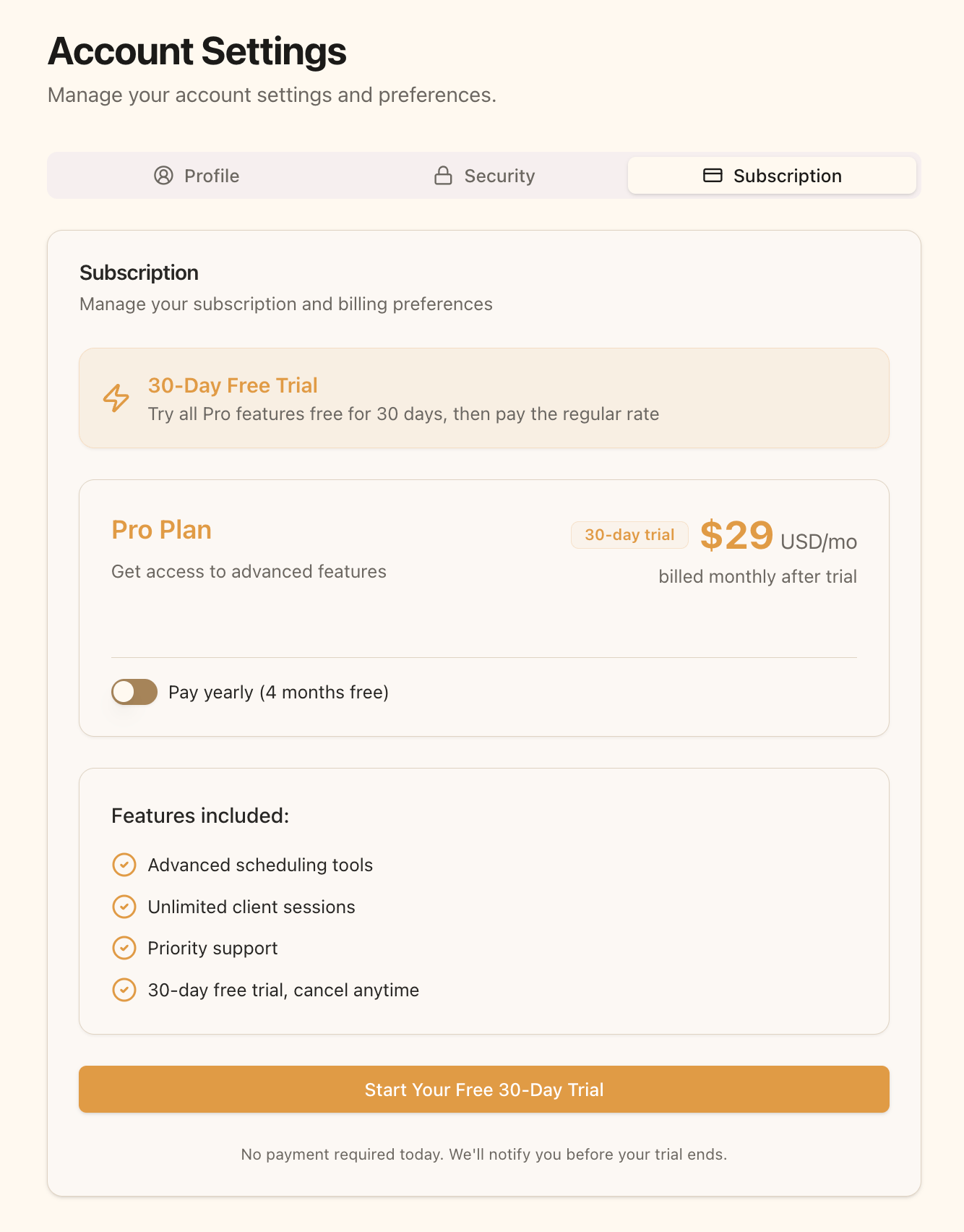
Step 4: Choose your billing frequency
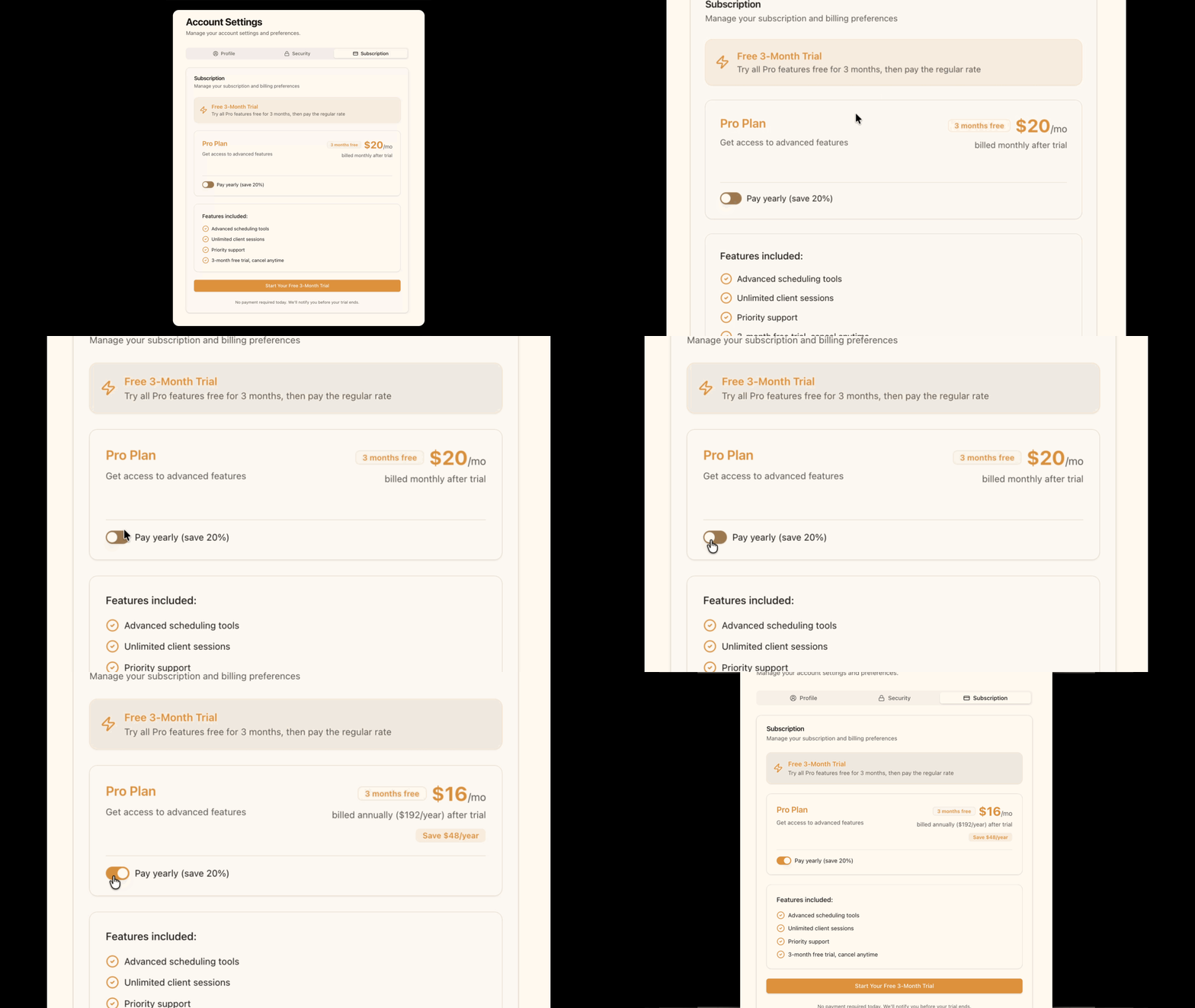
Decide whether you’d rather be billed monthly or annually once your trial ends:- Toggle Pay yearly (4 months free) ON for annual billing
- Leave it OFF for monthly billing
Step 5: Start your free trial
Click Start Your Free 30-Day Trial. You’ll be redirected to Stripe’s secure checkout page to enter your payment information.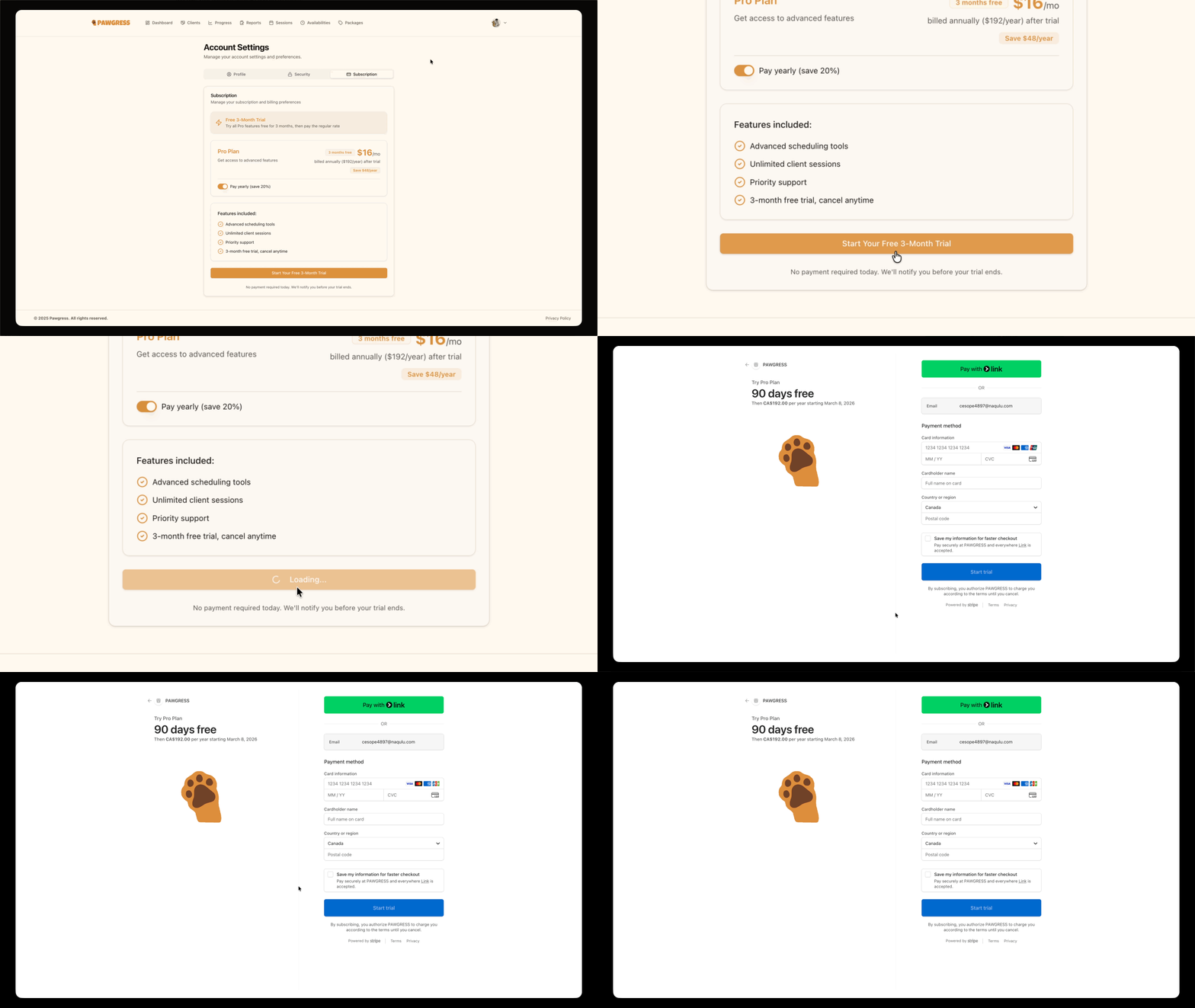
The 30-day trial is offered to first-time subscribers. If you’ve subscribed to Pawgress before, the subscription page shows standard pricing without the trial banner.
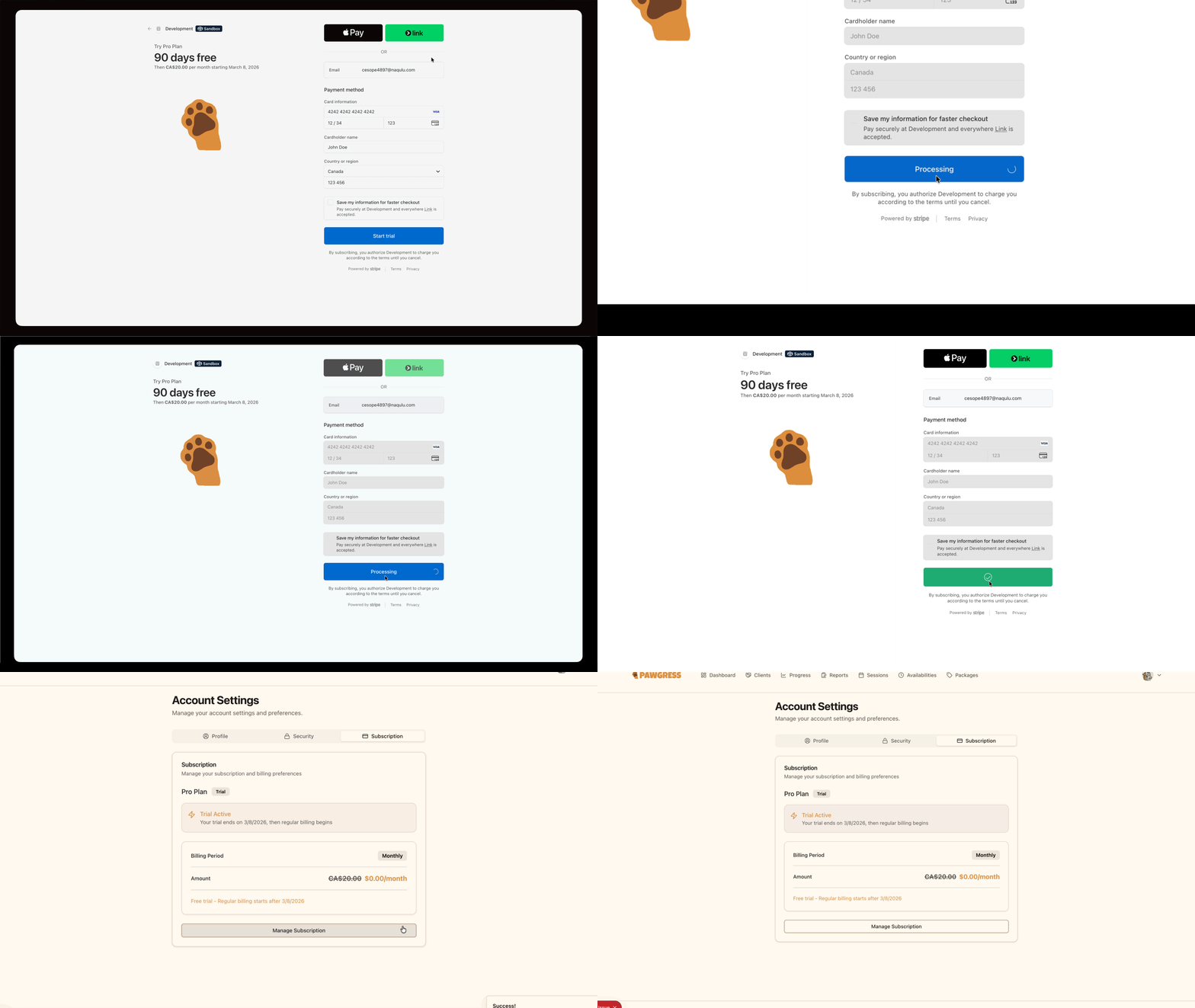
Step 6: Complete Stripe checkout
On the Stripe checkout page, enter:- Email address - Should match your Pawgress account email
- Card information - Your payment card details
- Billing address - Your billing address information
Step 7: Trial confirmation
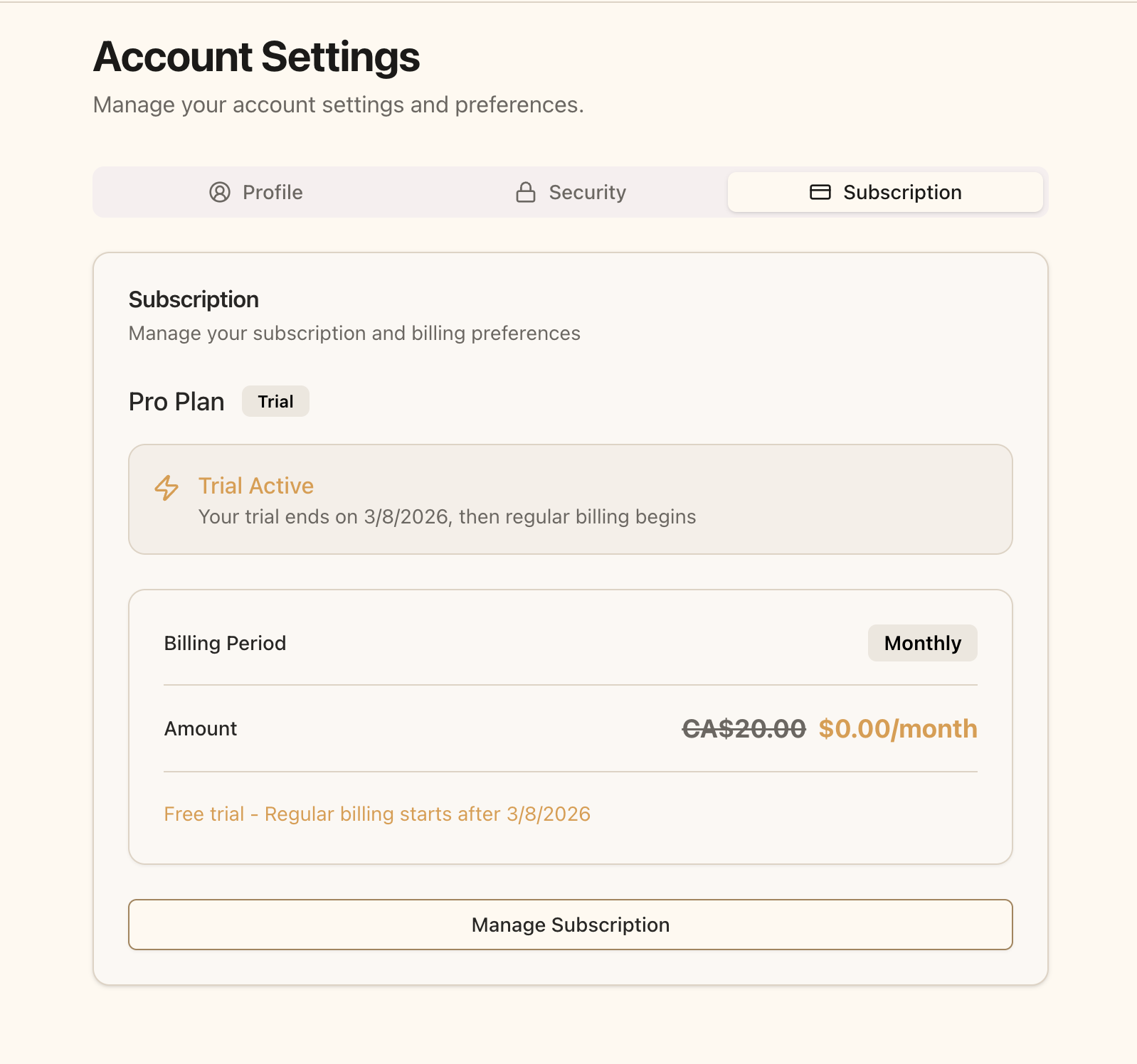
After checkout you’re redirected back to Pawgress with Pro active. Your subscription page will show:- Trial Active - Confirmation that your trial is running
- Trial end date - When regular billing begins
- Billing interval - Monthly or Yearly, whichever you picked
What Happens After My Trial?
After your 30-day free trial ends:- Your payment method is charged automatically at your selected billing frequency
- You keep uninterrupted access to all Pro features
- You can cancel any time before the trial ends to avoid being charged
Managing Your Subscription
Once your Pro trial is running, you have full control over your subscription:- Change billing frequency - Switch between monthly and annual billing
- Update payment method - Change your payment card or billing address
- Cancel subscription - Cancel any time during or after your trial
Basic Plan Features
If you choose not to upgrade, you can keep using Pawgress Basic (free forever):- Unlimited clients and pets - No restrictions on how many clients you can manage
- Client and pet profiles - Store contact information, notes, and pet details
- Client forms and intake - Send waivers, intake forms, and questionnaires, and collect responses
- Progress tracking - Log and monitor behaviour progress for each pet
- Training reports - Write and publish reports for clients
- 2 GB media storage - Attach photos and video clips to reports (YouTube links are always free)
- Basic dashboard - Client, pet, and incomplete report counts
- Email support
- Session scheduling and availability schedules
- Package management and public booking links
- Stripe payment collection for enrollments
- Google Calendar, Google Meet, and Zoom integrations
- Report templates
- Advanced dashboard (revenue stats, revenue chart, upcoming sessions)
- Bulk client import and export
- Custom branding
Questions About Pro?If you have questions about upgrading to Pro or which features are included, our support team is here to help:
- Email: support@pawgress.ca
- Support page: trypawgress.com/support
Next Steps
Now that you’ve upgraded to Pro, make the most of your subscription:- Set up Google Calendar integration - Automatically sync your training sessions
- Configure Google Meet or Zoom - Enable virtual training sessions
- Set your availability - Define when sessions can be booked
- Create training packages - Offer bundled session packages
- Share a public booking link - Let clients book and pay themselves